Table of Contents
How to Sign in and Sign out on NearHub?
If you're not sure how to sign in and sign out of NearHub Canvas, follow these steps. Sign in or out on the NearHub Smart Board. Open the NearHub application on the board, and click the four-line but…
Table of Contents
If you're not sure how to sign in and sign out of NearHub Canvas, follow these steps.
Sign in or out on the NearHub Smart Board
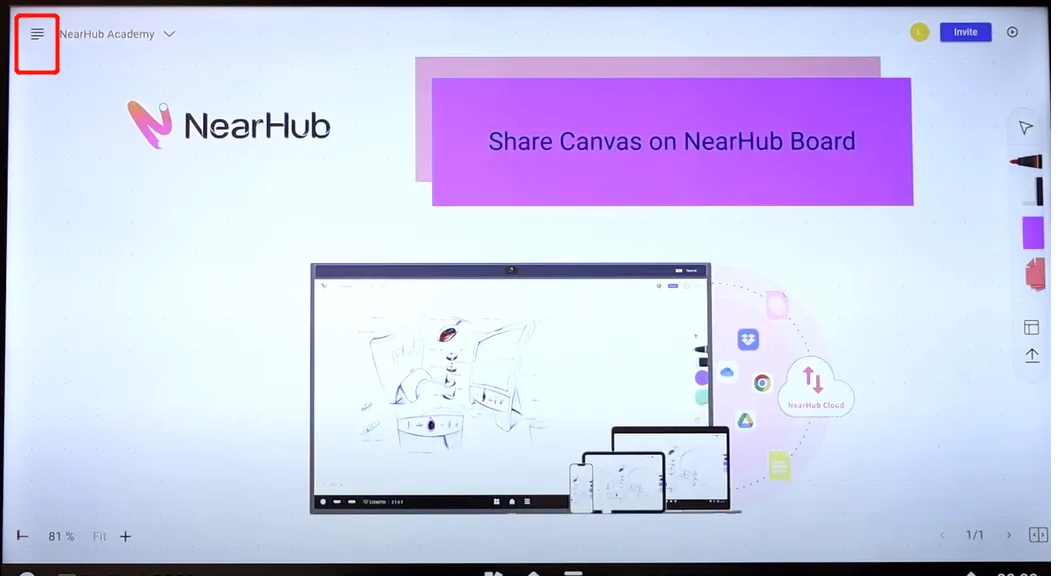
Open the NearHub application on the board, and click the four-line button in the upper-left corner of the page.
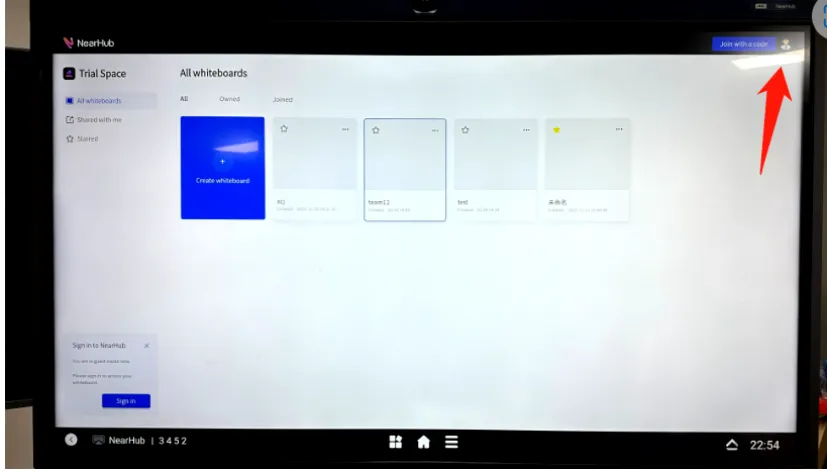
Now you can see all your whiteboards on the same page. Click the profile photo, then tap “Sign in” to log in to your NearHub account. After signing in, click the same profile photo and choose “Sign out” to log out.
Sign in or out on the Web
NearHub also has its own website, where you can access the whiteboard on your computer.
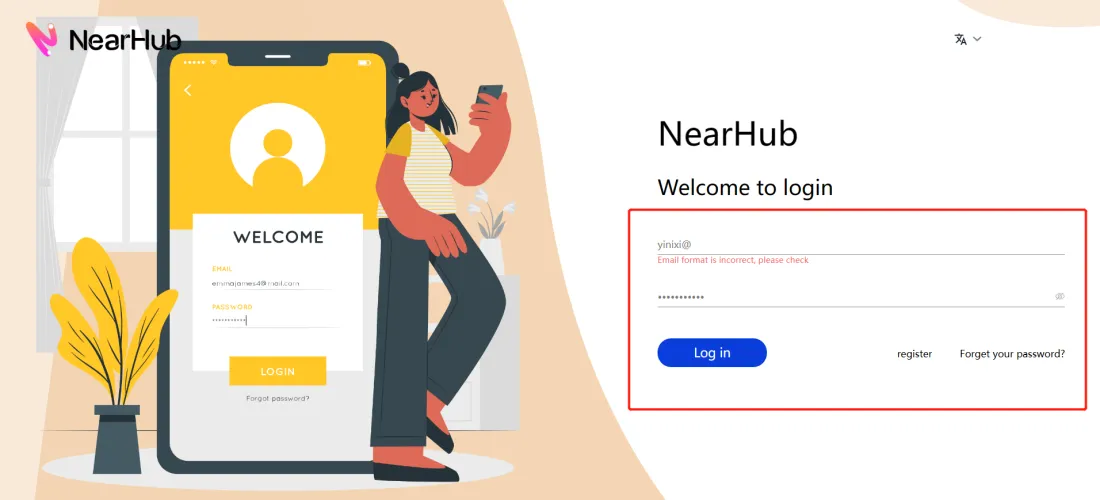
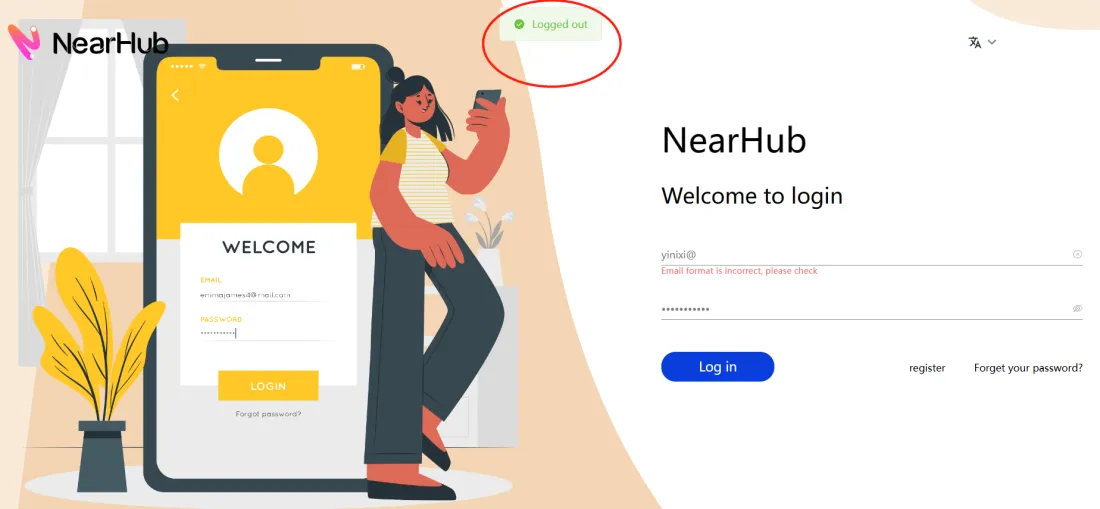
You can see our landing page, enter your email and password, and sign in. And you can see all the whiteboards you've created on the page.
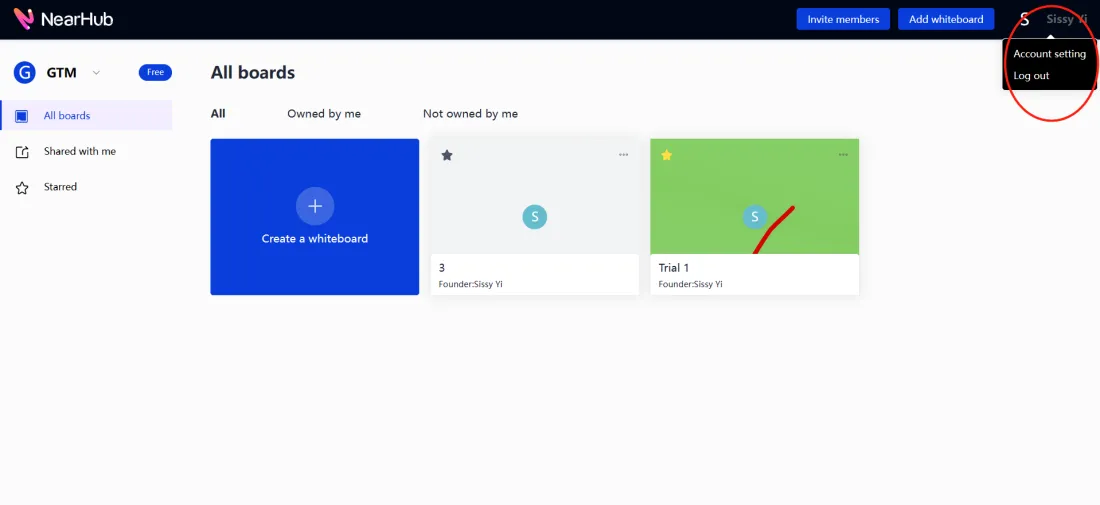
To sign out, you need to click the profile photo in the top right corner and choose Log out. Then it will take you back to the landing page with a pop-up showing " Logged out ".
If You Still Need Help
If the steps above do not resolve the issue, please contact NearHub Support at support@nearhub.us.
How did we do?
NearHub Board Warranty and Support
How to Use Screen Casting by USB Display on NearHub Board?

