Does the EP320 work with both Mac and PC?
This article applies to the Nearity EP320 noise cancelling headphone with mic for office. Short Answer: Yes. The EP320 is compatible with both Mac and Windows PC systems. It offers three connection o…
This article applies to the Nearity EP320 noise cancelling headphone with mic for office.
Short Answer: Yes
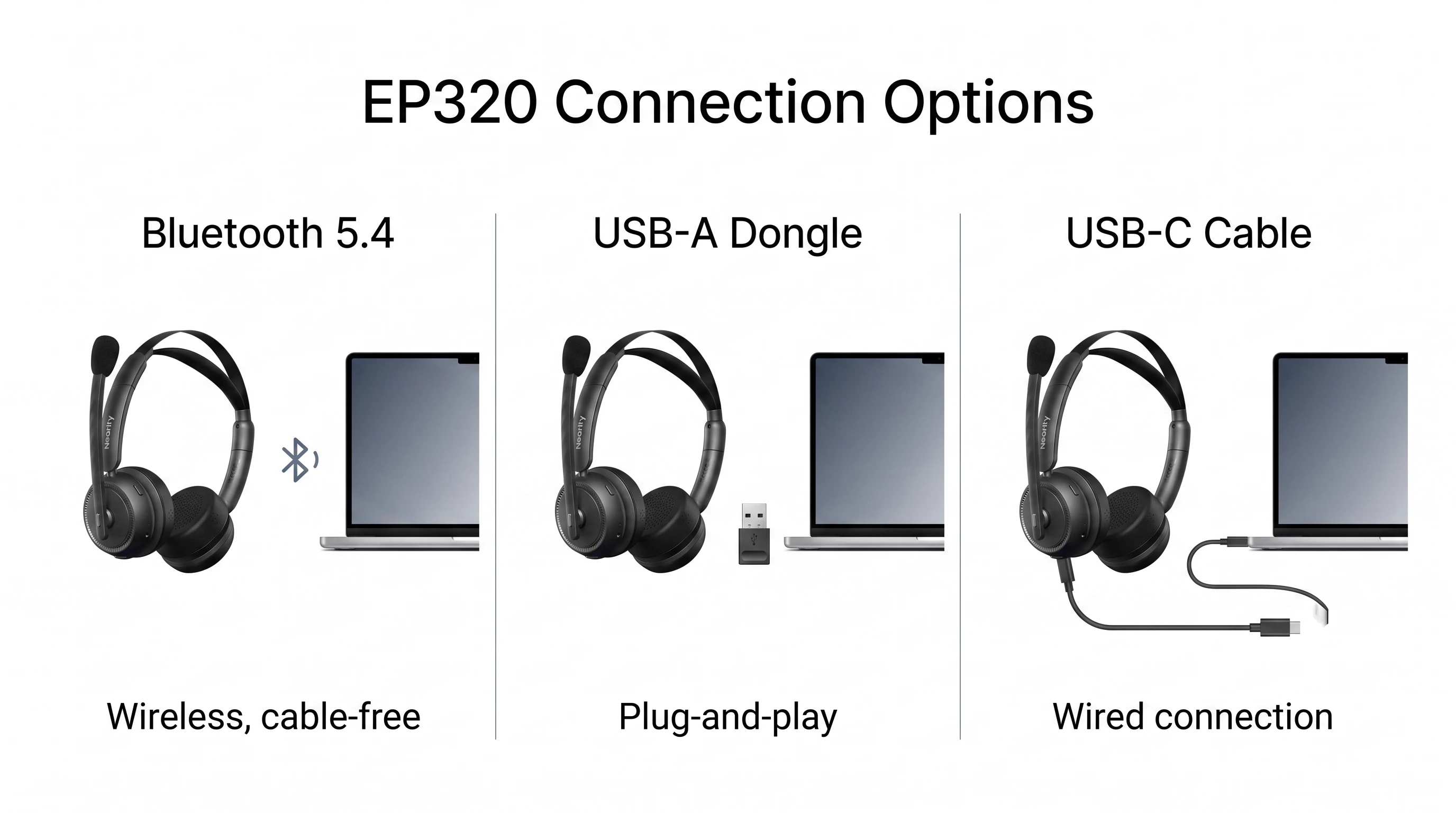
The EP320 is compatible with both Mac and Windows PC systems. It offers three connection options:
• Bluetooth 5.4 — wireless, cable-free
• USB-A Dongle — plug-and-play, stable connection
• USB-C Cable — wired, no battery needed
This ensures broad compatibility across various devices and operating systems, including Windows, macOS, Linux, Android, and iOS.
Tip: Set EP320 as the Default Audio Device
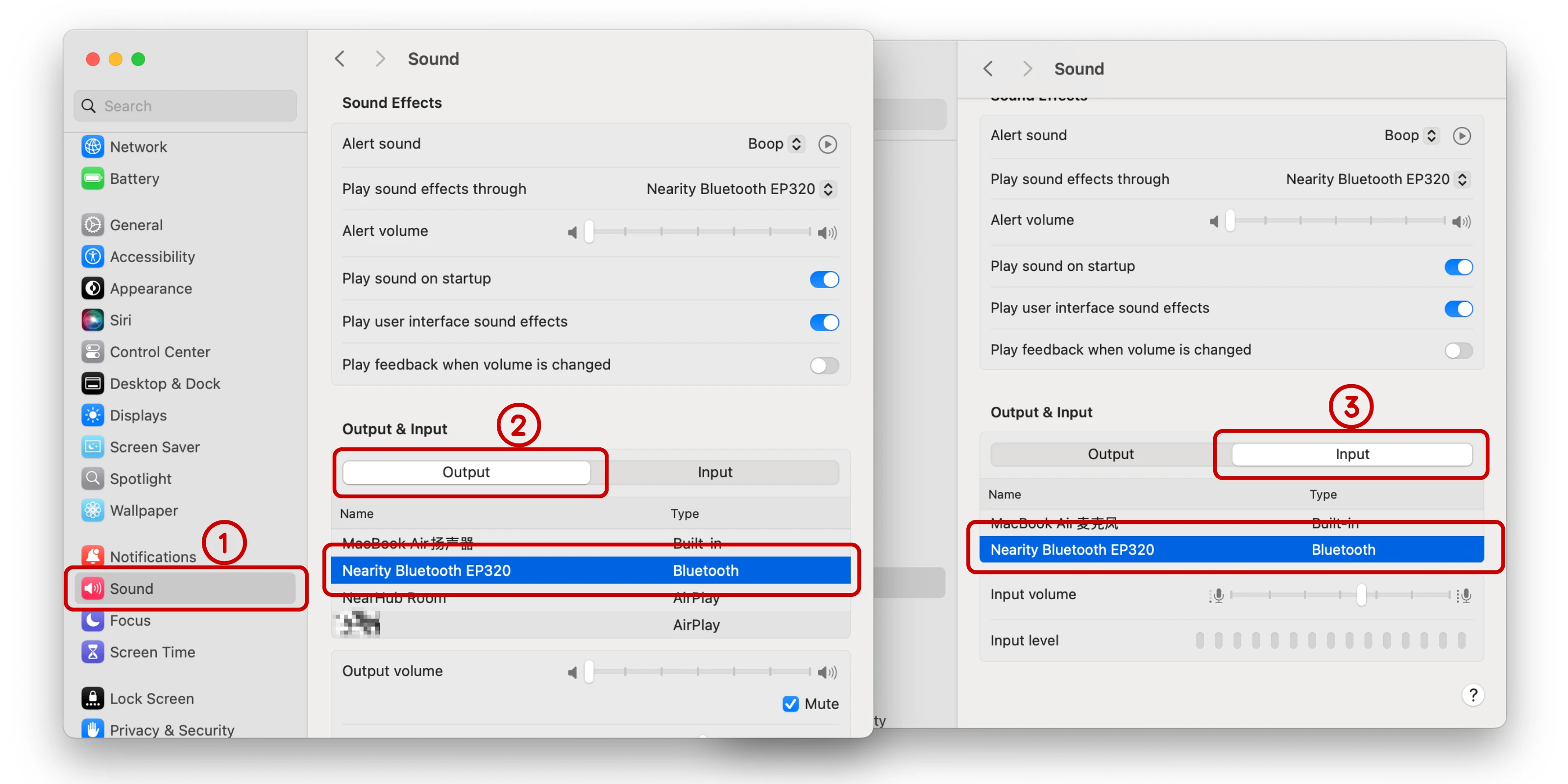
After connecting, make sure to select Nearity EP320 as the default output and input device in your computer’s sound settings. For detailed steps, see: My EP320 is connected but there’s no sound — how do I fix it?.
Take Mac as an example:
If you have further questions, please contact us: support@nearhub.us
How did we do?
Does the EP320 work with Teams, Zoom, or Webex?
Can I take the microphone off my EP320?

