Can I use the EP320 with my iPhone or Android phone?
This article applies to the Nearity EP320 bluetooth noise cancelling headset with mic. Short Answer: Yes. The EP320 is compatible with both iOS (iPhone) and Android devices. How to Pair with Your Pho…
This article applies to the Nearity EP320 bluetooth noise cancelling headset with mic.
Short Answer: Yes
The EP320 is compatible with both iOS (iPhone) and Android devices.
How to Pair with Your Phone
1. Turn on the EP320. It will enter pairing mode automatically on first use (or press the MFB button + Volume Up button together to re-enter pairing mode).
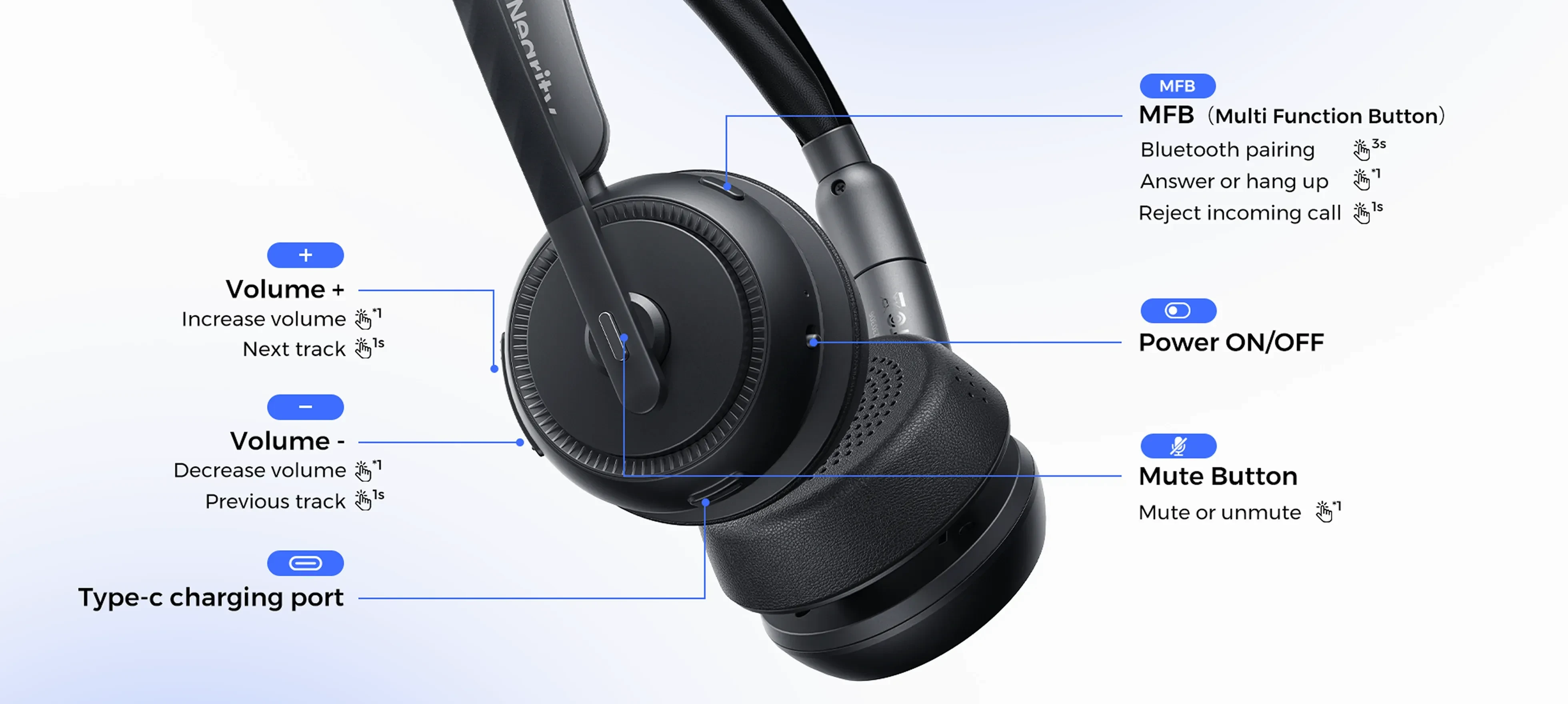
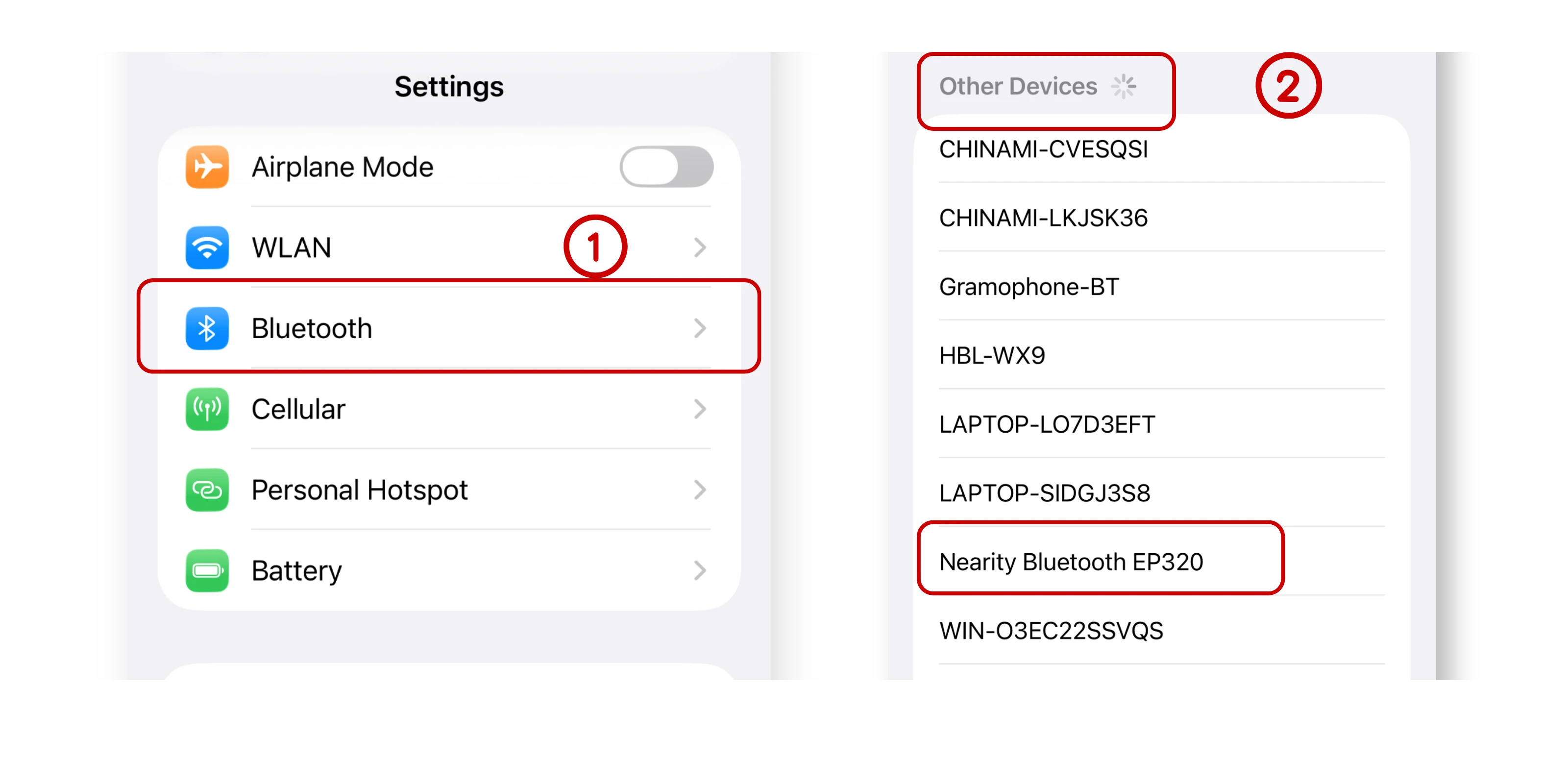
2. On your phone, go to Settings → Bluetooth and turn Bluetooth on.
3. Find “Nearity EP320” in the device list and tap to connect.
Take iPhone as an example:
Once paired, you can answer and end cellular calls directly from the headset’s MFB button.
If you have further questions, please contact us: support@nearhub.us
How did we do?
How far can I walk away from my computer with the EP320?
Can I plug the EP320 into my traditional desk phone?

