My EP320 suddenly won’t connect — what should I do?
This article applies to the Nearity EP320 wireless headset. If your EP320 suddenly fails to connect to your device, clearing the pairing records usually fixes the problem. How to Clear the Pairing Re…
This article applies to the Nearity EP320 wireless headset. If your EP320 suddenly fails to connect to your device, clearing the pairing records usually fixes the problem.
How to Clear the Pairing Records
1. Make sure the headset is turned on and not engaged in a call.
2. Press and hold the MFB button and the Volume Up (+) button at the same time for 5 seconds.
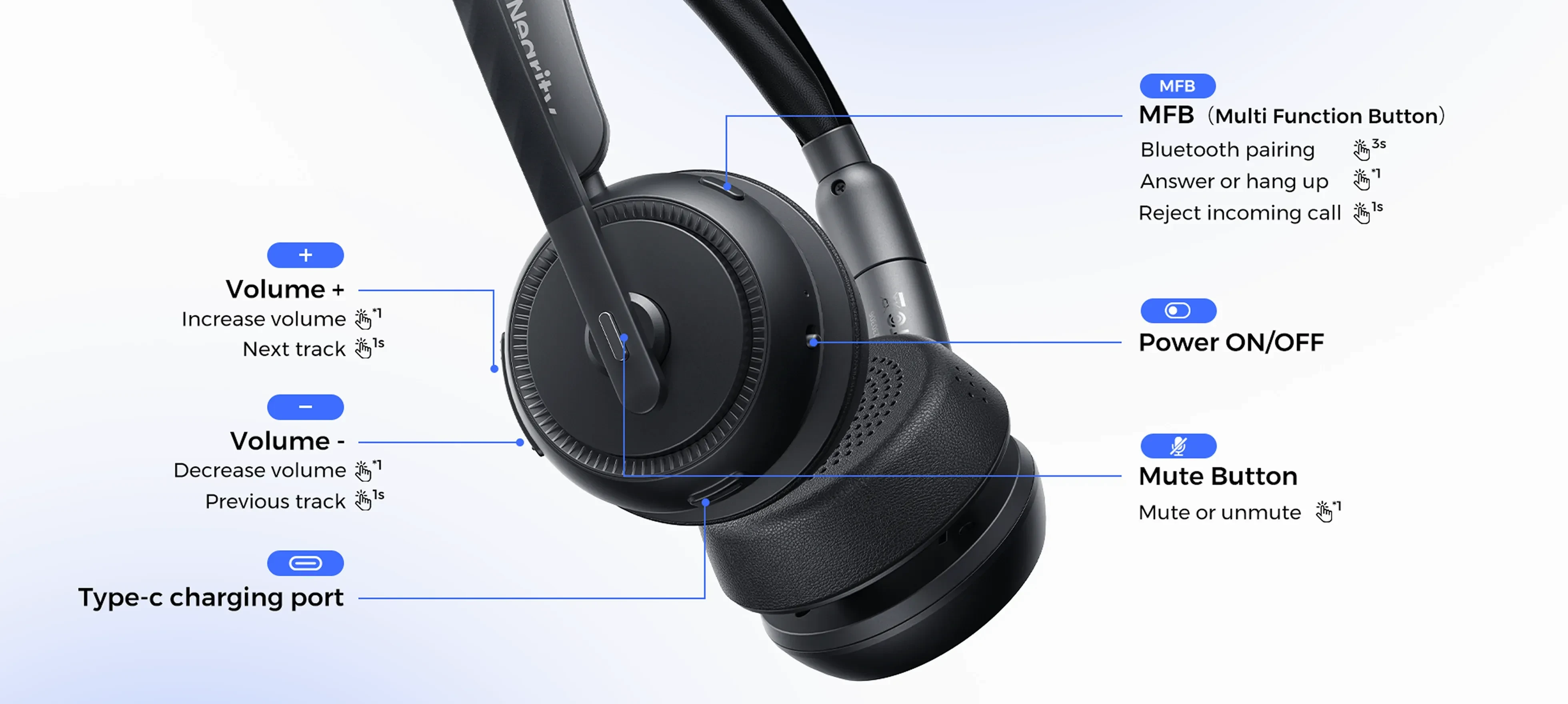
3. When the records are cleared, the headset will restart automatically and enter pairing mode.
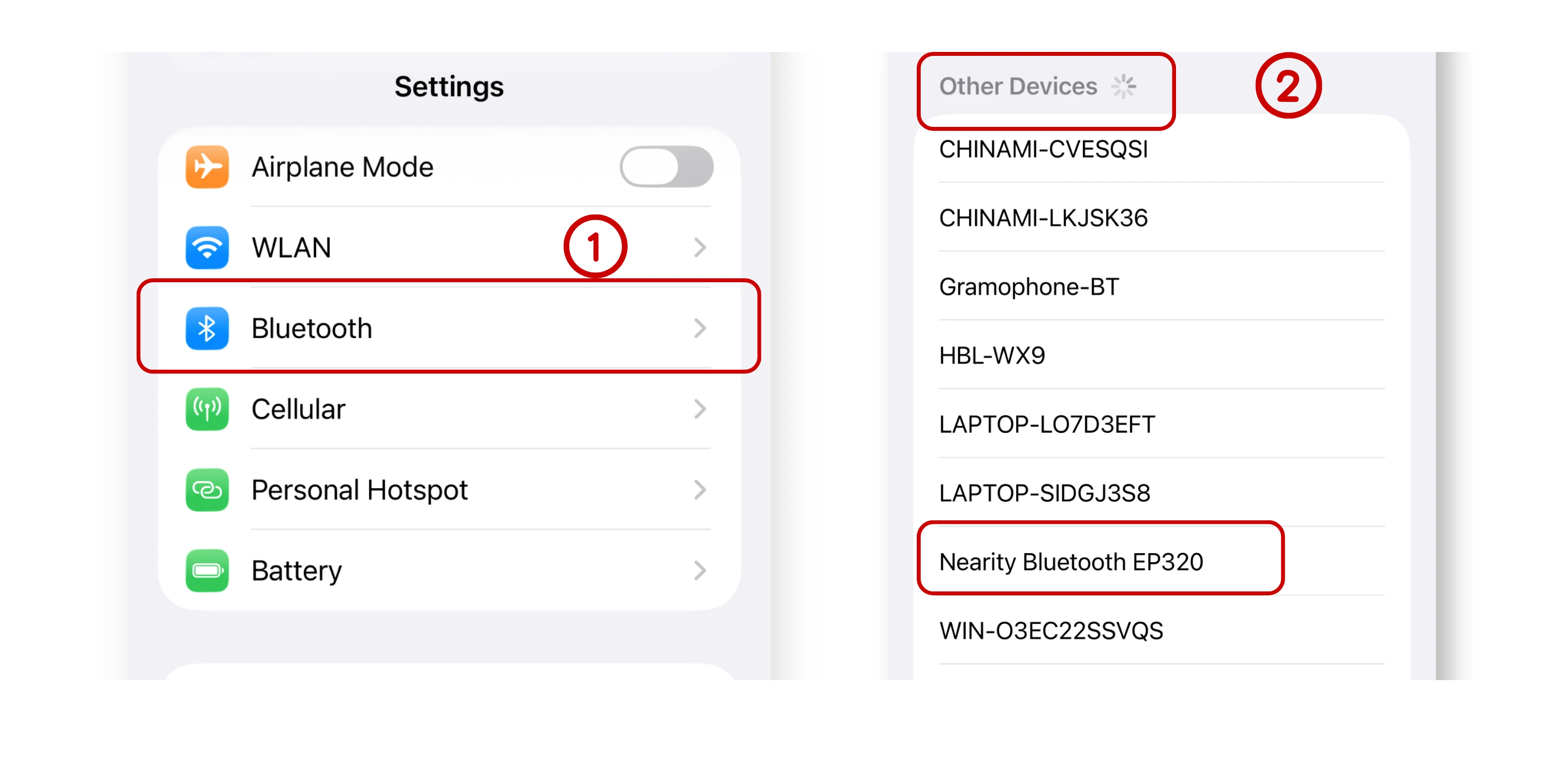
4. On your device, search for “Nearity EP320” and connect again.
Still Not Connecting?
• Make sure Bluetooth is enabled on your device.
• Move the headset closer to the device (within 33 ft / 10 m, without obstacles).
• Try restarting both the headset and your device, then pair again.
If the steps above don’t solve your problem, please contact us: support@nearhub.us
How did we do?
My EP320 is connected but there’s no sound — how do I fix it?

