
Infrared (IR) touch technology detects input using a grid of invisible light beams across the front of a screen. When a finger or suitable stylus interrupts the beams, the touch system calculates its position and sends that location to the software.
It is used in large interactive displays for activities such as writing, selecting objects, and annotating shared content.
How does infrared touch work?
- A sensing frame creates the light grid. Infrared emitters and receivers are arranged around the edges of the screen.
- An object interrupts the beams. A finger or suitable pen blocks light at a particular position.
- The system reports the position. The application interprets the input as a tap, a drag, or a line of handwriting, depending on the tool selected.
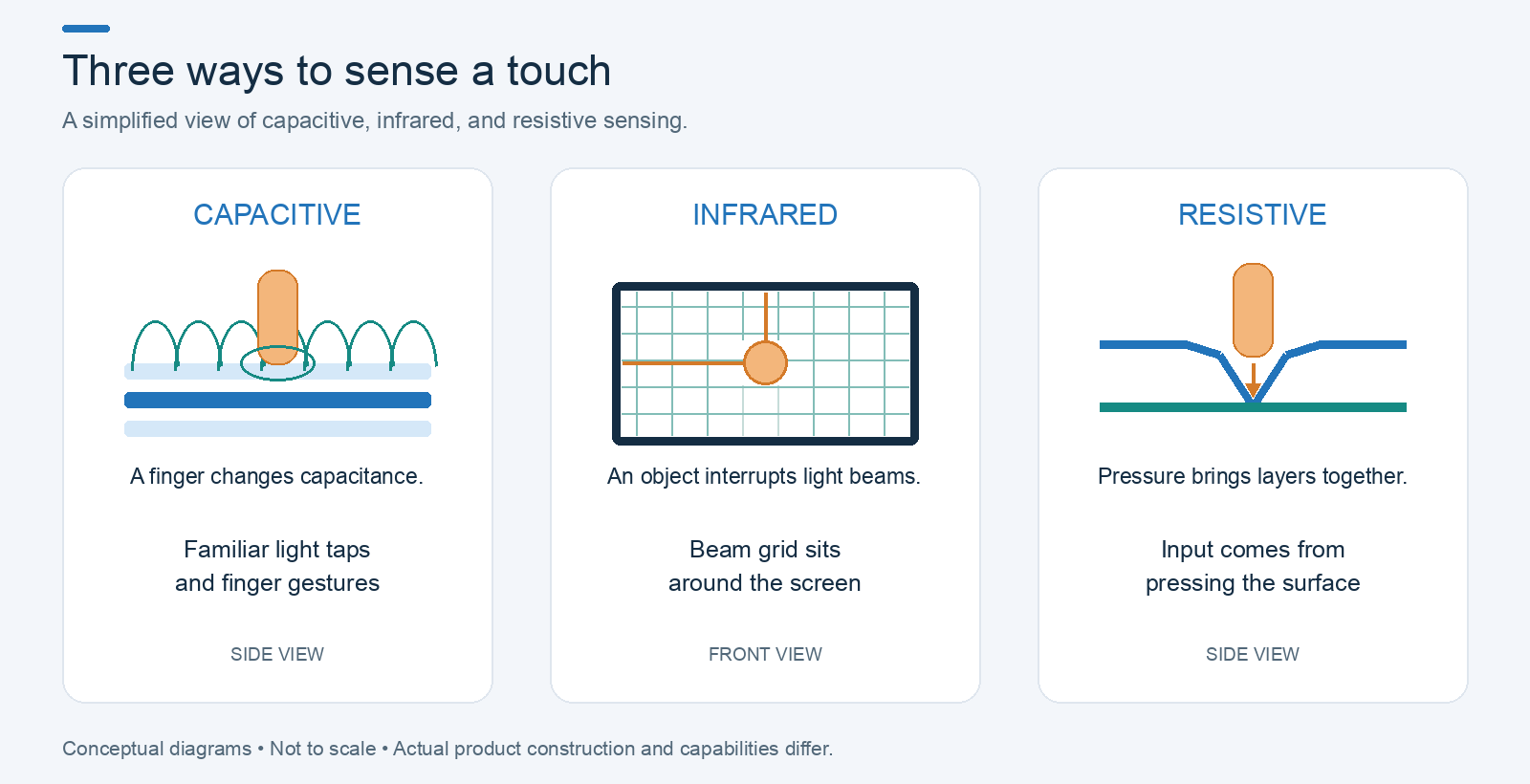
The display and the touch sensor do separate jobs: the display shows the image, while the sensor detects input. For the wider system, see how an interactive whiteboard works.
What does this mean when you use the screen?
- Input does not depend on a bare finger's conductivity. IR detects interrupted light, unlike capacitive touch, which detects electrical changes. A suitable passive stylus can therefore register without an electronic connection to the screen. This does not mean every pen or object is suitable.
- Keep the sensing area clear. Objects resting against the frame, or debris near the sensing area, may interfere with detection. If touch behaves unexpectedly, check for obstructions and follow the device's cleaning instructions.
- The sensor type does not determine every writing feature. Handwriting quality, gestures, and simultaneous writing depend on the complete device and application. The IR label alone does not guarantee pressure sensitivity or palm rejection.
For a broader comparison of input methods and use cases, read our guide to how touchscreens work.
Frequently asked questions
Do I need to press hard on an infrared touchscreen?
No. IR detects interrupted light rather than pressure between sensing layers. Pressing harder is not a way to improve detection; use a light touch and a suitable input tool.
Can I use any pen on an infrared touchscreen?
No. A pen must be suitable for the screen's detection requirements and safe for its surface. Use the supplied or manufacturer-recommended stylus. Registering a touch does not establish support for pressure sensitivity, pen buttons, or palm rejection.
Does infrared touch mean several people can write at once?
Not by itself. The device must support enough simultaneous touch contacts, and the application must accept the intended inputs. See touch points and touch response time explained for what those specifications mean.
Is infrared touch the same as an infrared remote control?
No. An IR touch frame detects where light beams are interrupted across the screen. An IR remote sends commands to a receiver. Using infrared light does not make the two functions interchangeable.