Why Does My NearHub Board Show "Windows Is Not Activated" on First Use?
Issue. When setting up your NearHub Board for the first time, you may see a "Windows is not activated" message or an activation watermark on the screen. Solution. This issue may occasionally occur du…
Issue
When setting up your NearHub Board for the first time, you may see a "Windows is not activated" message or an activation watermark on the screen.
Solution
This issue may occasionally occur due to automatic Windows updates, which can affect the system's activation status.
To resolve this issue, please follow the steps below:
- Contact our Support Team to request a Windows activation key.
- On your NearHub Board, go to Settings > System > Activation.
- Locate Change product key and click Change.
- Enter the activation key provided by our Support Team and click Next to complete the activation process.
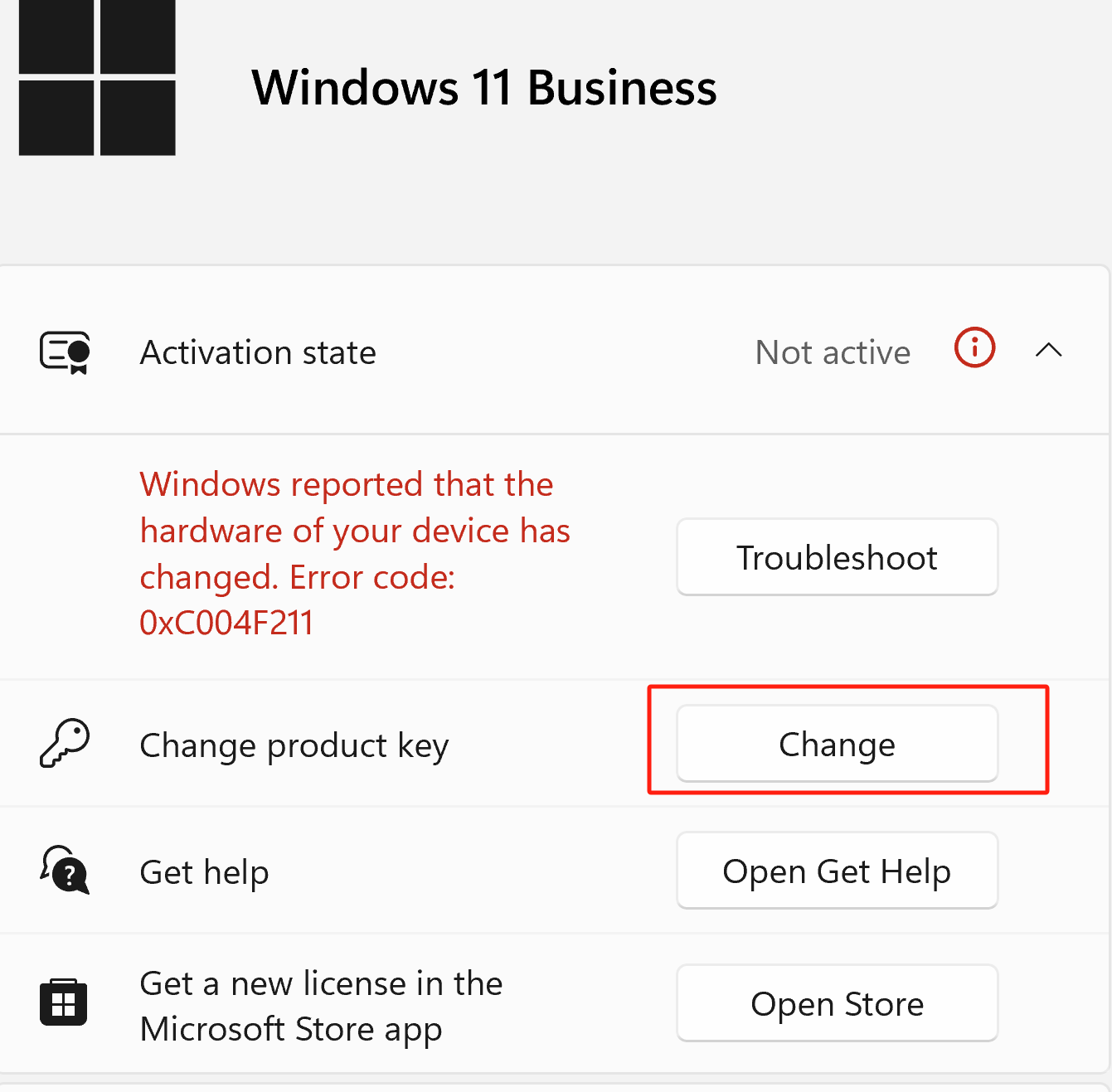
Once Windows is successfully activated, the activation message should disappear.
If You Still Need Help
If the steps above do not resolve the issue, please contact NearHub Support at support@nearhub.us.
How did we do?
Why Does a Red "Trial" Label Appear in the Top-Left Corner of My NearHub Board?

