How to Use Webcast on NearHub Board
This guide applies to the NearHub Board S Pro Series and NearHub Board Max Series. Step 1: Open NearHub Cast and Connect to Wi-Fi. On your NearHub Board, open NearHub Cast. Then make sure your laptop…
This guide applies to the NearHub Board S Pro Series and NearHub Board Max Series.
Step 1: Open NearHub Cast and Connect to Wi-Fi
On your NearHub Board, open NearHub Cast. Then make sure your laptop or other device is connected to the same Wi-Fi network as the NearHub Board.
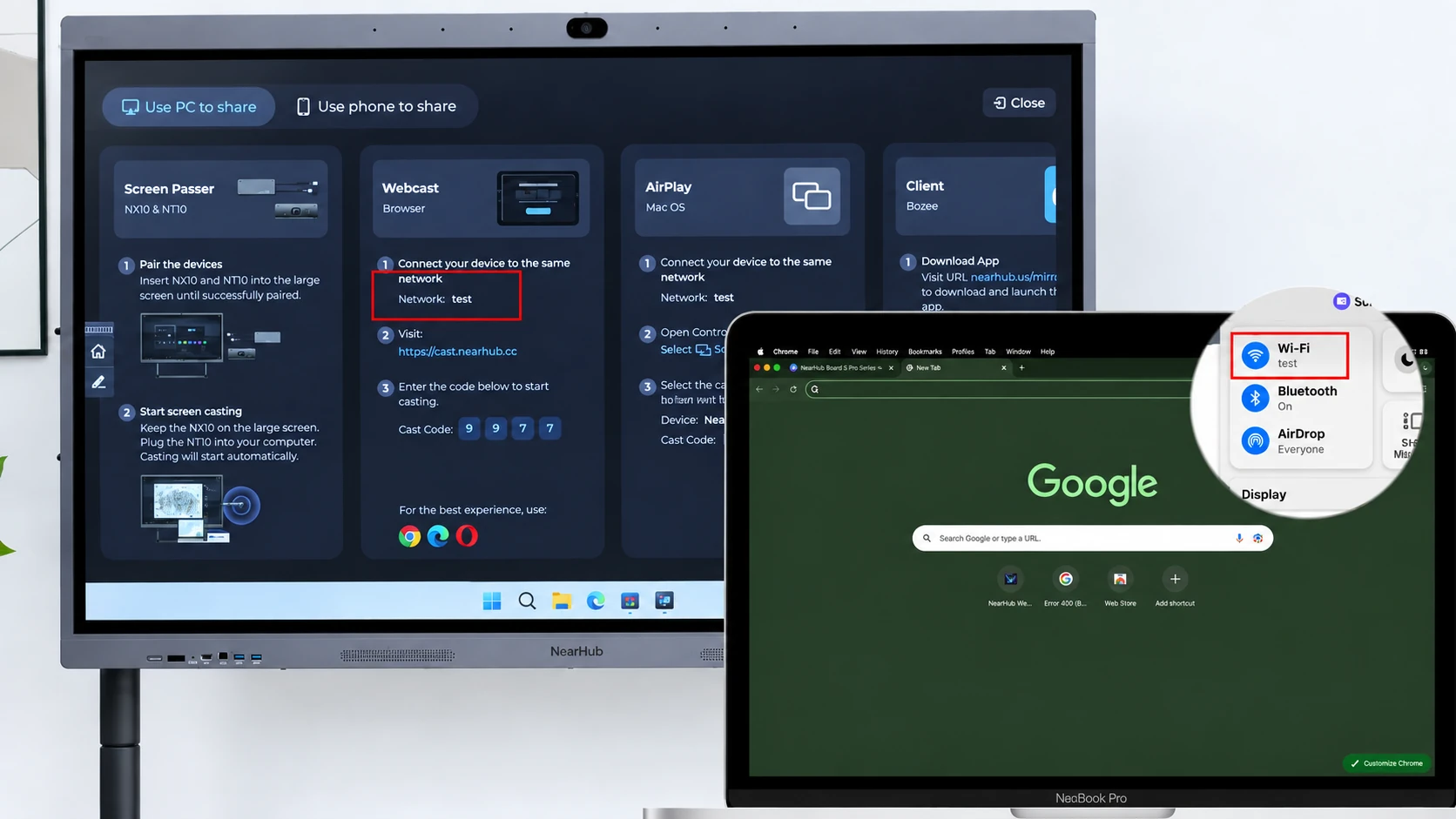
Step 2: Open Webcast
On your laptop, open a browser and go to:
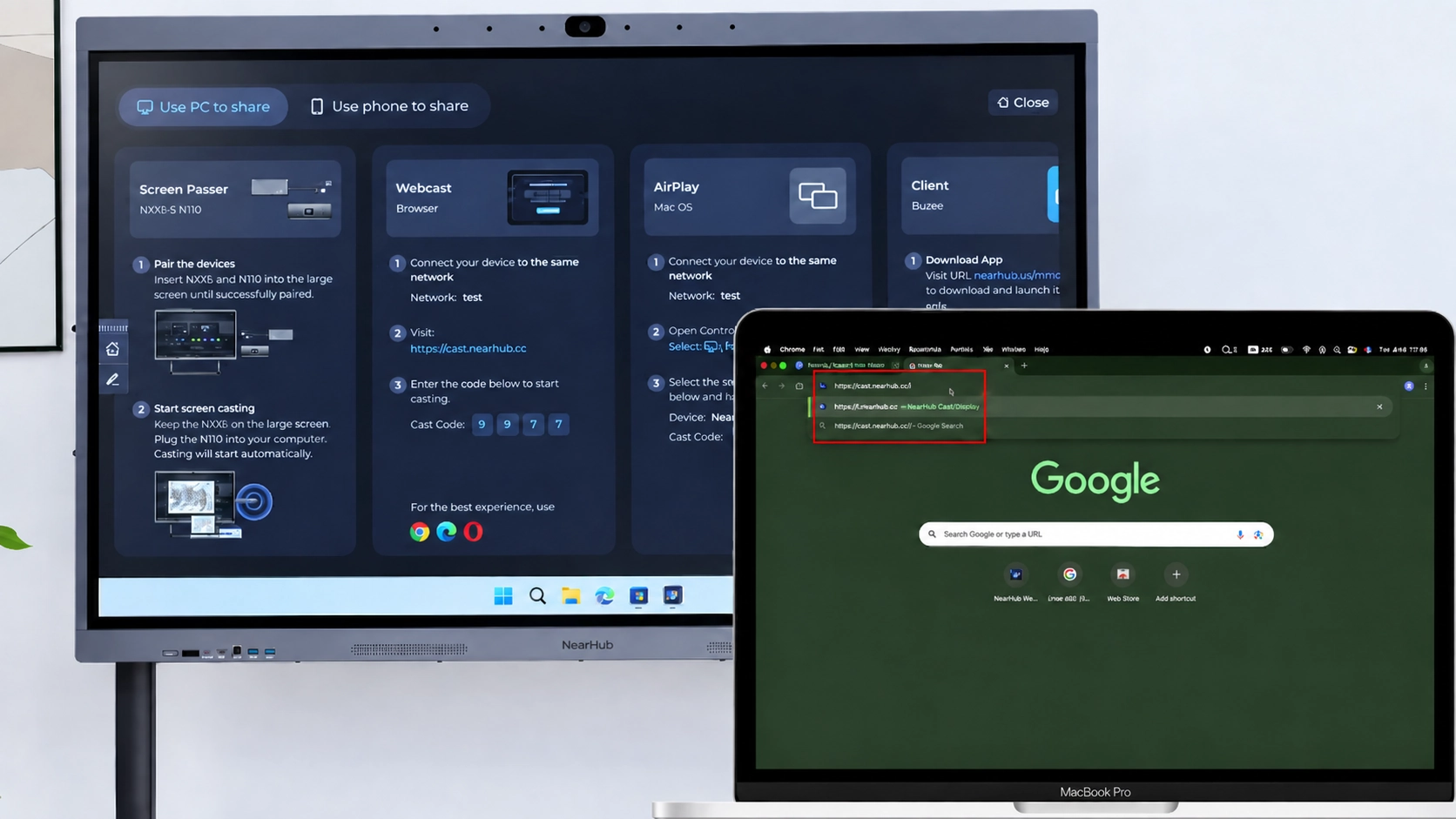
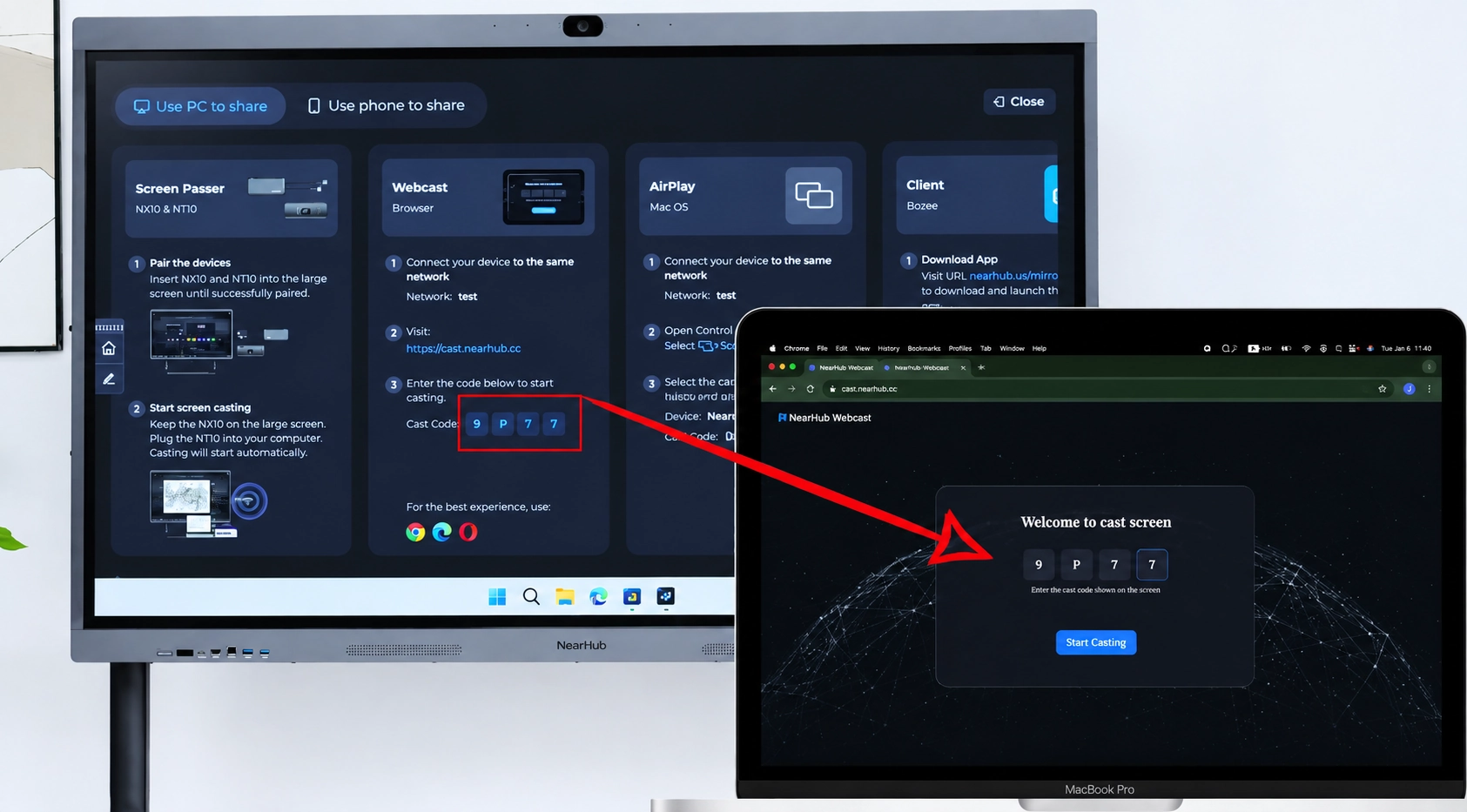
Step 3: Enter the Casting Code
Enter the 4-digit casting code displayed on the NearHub Board.
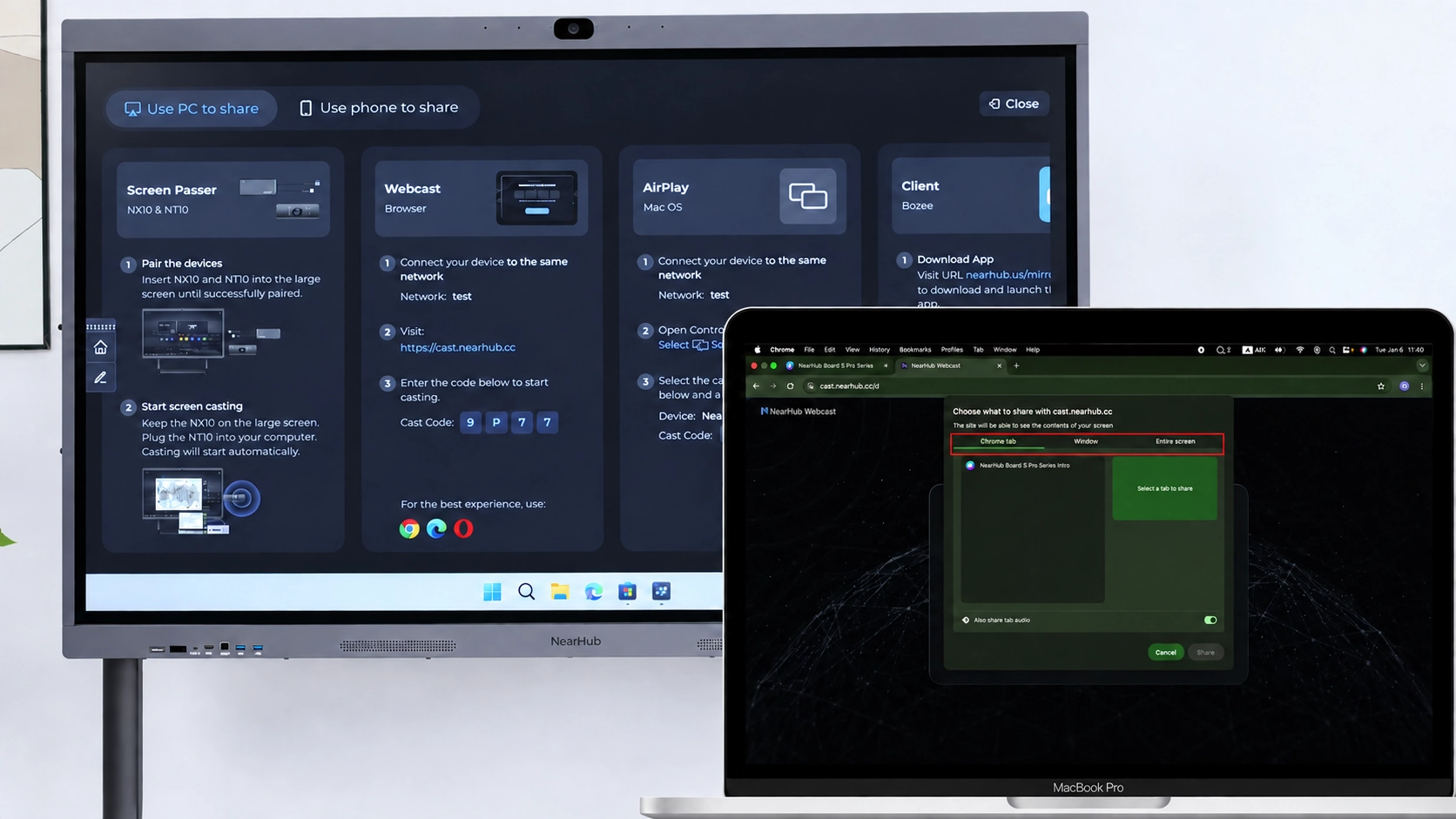
Step 4: Choose What to Share
Select the content you want to share:
- Entire screen
- Application window
- Browser tab
Then click Share.
Step 5: Start Presenting
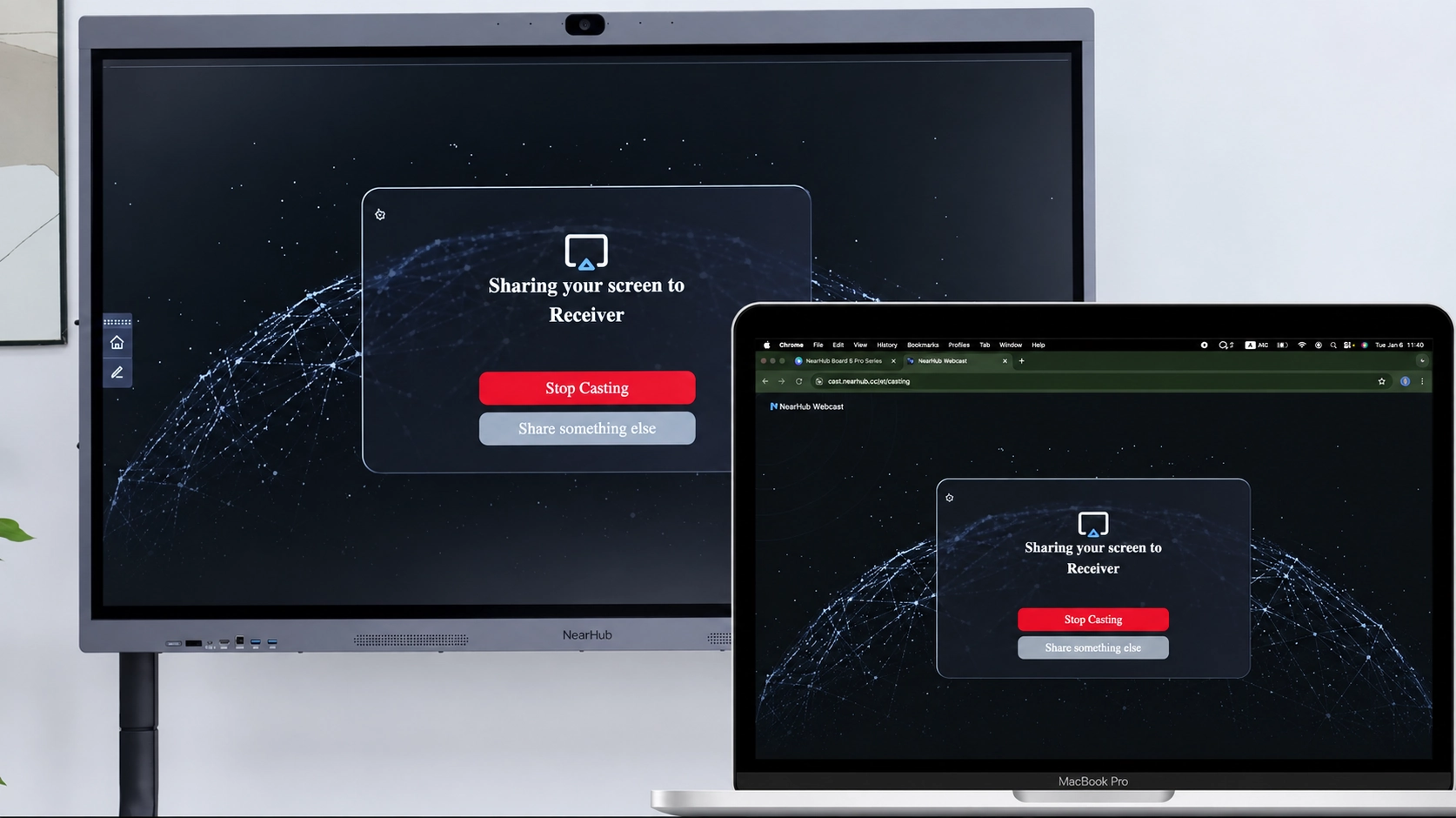
Your screen will now appear on the NearHub Board.
Step 6: Stop Sharing
When you are finished, click Stop Sharing in your browser to end the Webcast session.
<style>
            .nh-usb-support {
              margin-top: 70px;
              padding: clamp(28px, 5vw, 48px);
              border-radius: 18px;
              background: #2f72e8;
              box-shadow: 0 18px 44px rgba(47, 114, 232, 0.2);
            }

            .nh-usb-support h2 {
              margin: 0 0 14px;
              color: #ffffff !important;
              font-size: 32px !important;
              line-height: 1.15;
              letter-spacing: -0.03em;
            }

            .nh-usb-support p {
              margin: 0;
              max-width: 62ch;
              color: #ffffff !important;
              font-size: 18px;
              line-height: 1.7;
            }

            .nh-usb-support a,
            .nh-usb-support a:link,
            .nh-usb-support a:visited,
            .nh-usb-support a:hover,
            .nh-usb-support a:active {
              color: #ffffff !important;
              font-weight: 700;
              text-decoration: underline;
              text-underline-offset: 3px;
            }

            @media (max-width: 640px) {
              .nh-usb-support {
                margin-top: 54px;
                padding: 28px 22px;
              }

              .nh-usb-support h2 {
                font-size: 28px !important;
              }

              .nh-usb-support p {
                font-size: 16px;
              }
            }
          </style>

          <div class="nh-usb-support">
            <h2>If You Still Need Help</h2>
            <p>
              If the steps above do not resolve the issue, please contact NearHub Support at
              <a href="mailto:support@nearhub.us">support@nearhub.us</a>.
            </p>
          </div>
How did we do?

