Table of Contents
- 1. Have two people hold each leg rack and slip the upper rack on top.
- 2. Rotate the left and the right leg racks until the screw holes are fully visible. Do not fully tighten the screws until all screws are moderately tightened.
- 3. Lay the screen on a floor cushion, and attach the wall-mount bracket to the machine.
- 4. Mount the screen to the middle of the stand.
- 5. Mount the screen to the middle of the stand.
- 6. Complete installation.
How to Install the Stand of NearHub Board S55 ?
This article applies to the NearHub Board S55.. 1. Have two people hold each leg rack and slip the upper rack on top. . Note: Ensure the screw clearance holes face the front. There are two (2) screw…
Table of Contents
- 1. Have two people hold each leg rack and slip the upper rack on top.
- 2. Rotate the left and the right leg racks until the screw holes are fully visible. Do not fully tighten the screws until all screws are moderately tightened.
- 3. Lay the screen on a floor cushion, and attach the wall-mount bracket to the machine.
- 4. Mount the screen to the middle of the stand.
- 5. Mount the screen to the middle of the stand.
- 6. Complete installation.
- 1. Have two people hold each leg rack and slip the upper rack on top.
- 2. Rotate the left and the right leg racks until the screw holes are fully visible. Do not fully tighten the screws until all screws are moderately tightened.
- 3. Lay the screen on a floor cushion, and attach the wall-mount bracket to the machine.
- 4. Mount the screen to the middle of the stand.
- 5. Mount the screen to the middle of the stand.
- 6. Complete installation.
This article applies to the NearHub Board S55.
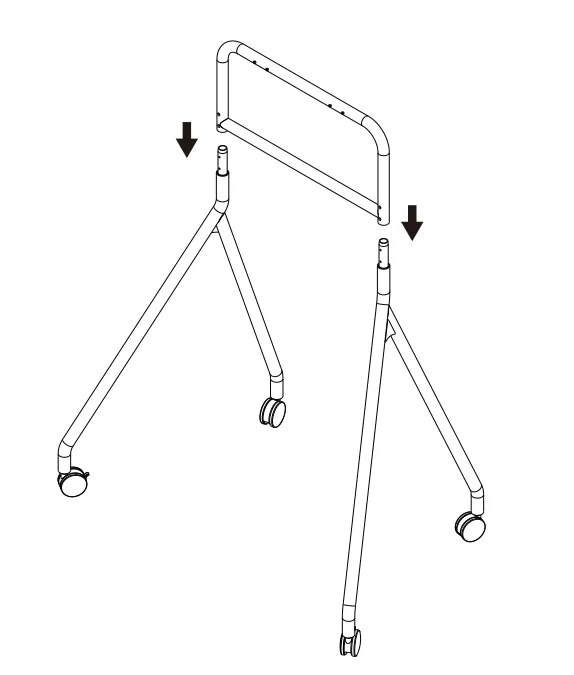
1. Have two people hold each leg rack and slip the upper rack on top.
Note:
- Ensure the screw clearance holes face the front.
- There are two (2) screw holes on the left leg rack and three (3) on the right.
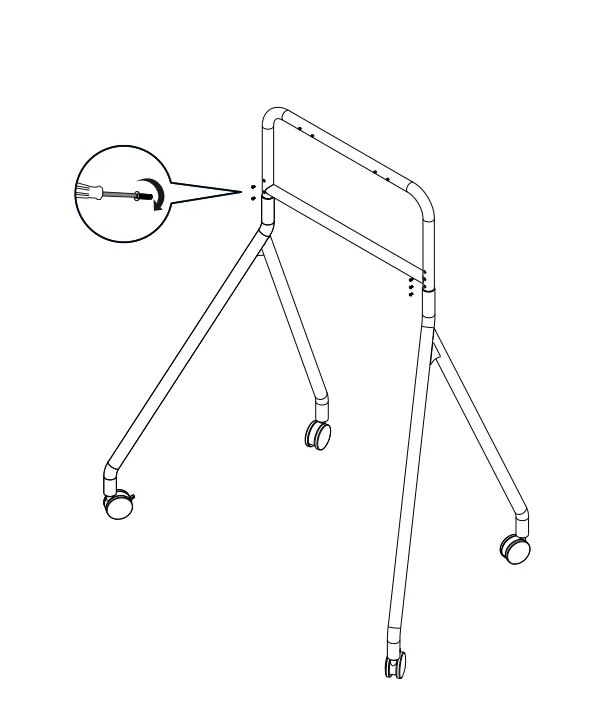
2. Rotate the left and the right leg racks until the screw holes are fully visible. Do not fully tighten the screws until all screws are moderately tightened.
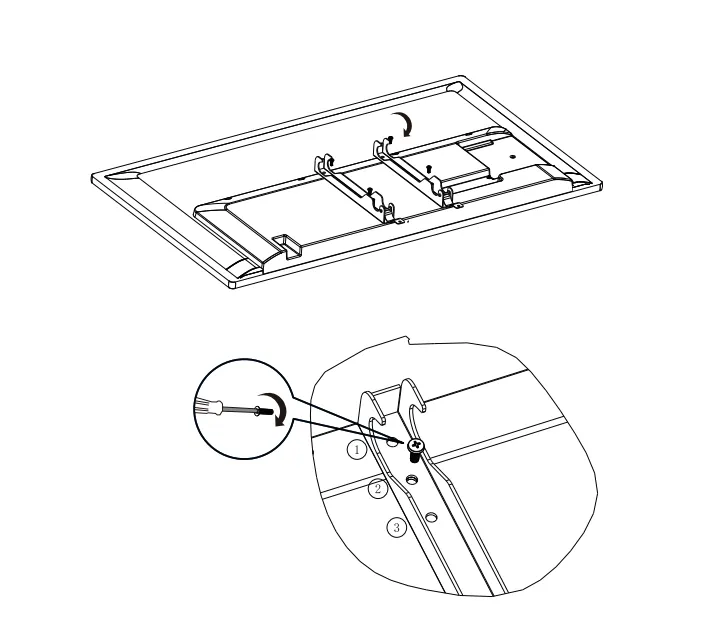
3. Lay the screen on a floor cushion, and attach the wall-mount bracket to the machine.
Note:
- Tighten the upper screw and then the lower screw.
- There are adapter holes for the wall-mount bracket to adjust the height of the screen. It is recommended to use the second hole for a 55-inch screen and the first hole for a 65-inch screen.
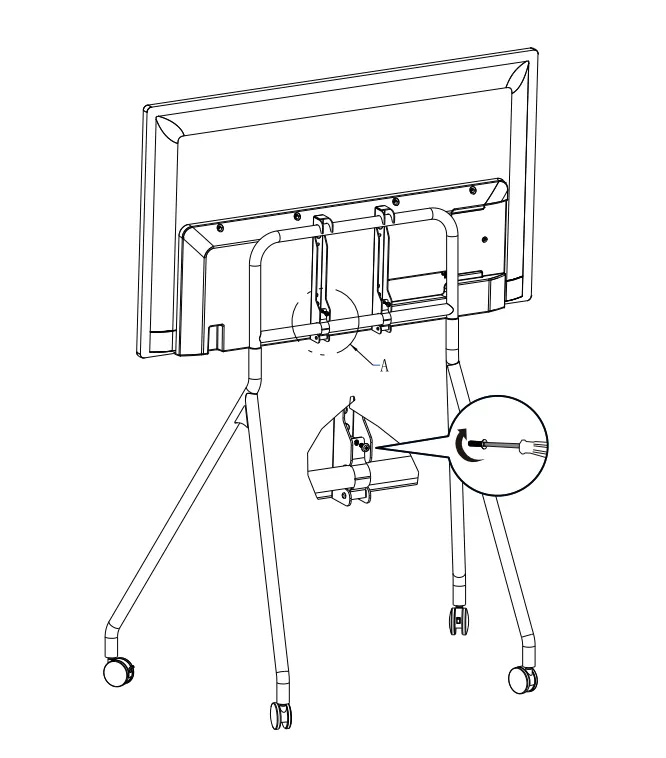
4. Mount the screen to the middle of the stand.
Note:
- The screen must be mounted onto the front side of the stand, i.e, the side where there are screws on top.
- The screws on top of the stand can serve as a placement marker. Observing from both sides: Two (2) screws are visible for a 55-inch screen, and one (1) screw is visible for a 65-inch screen.
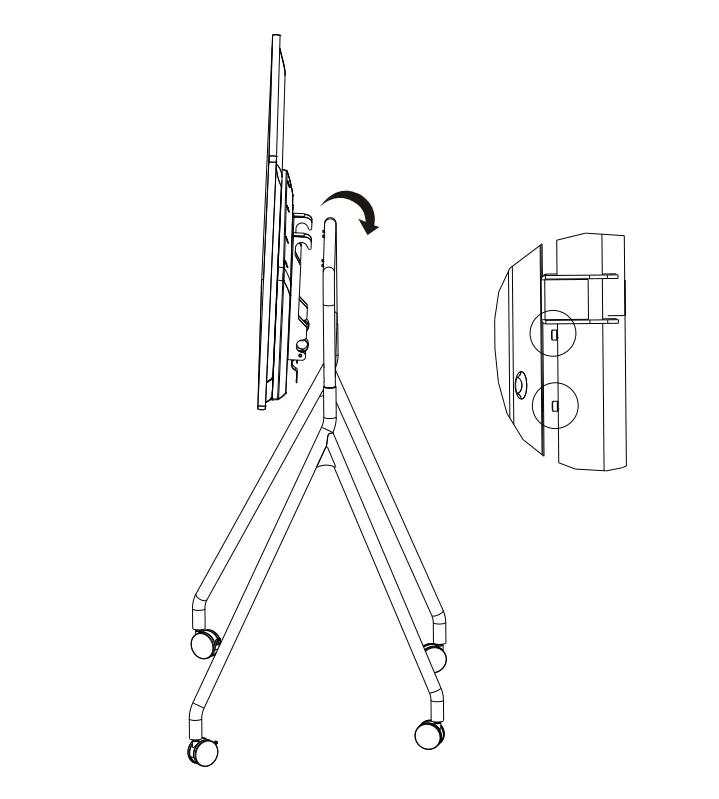
5. Mount the screen to the middle of the stand.
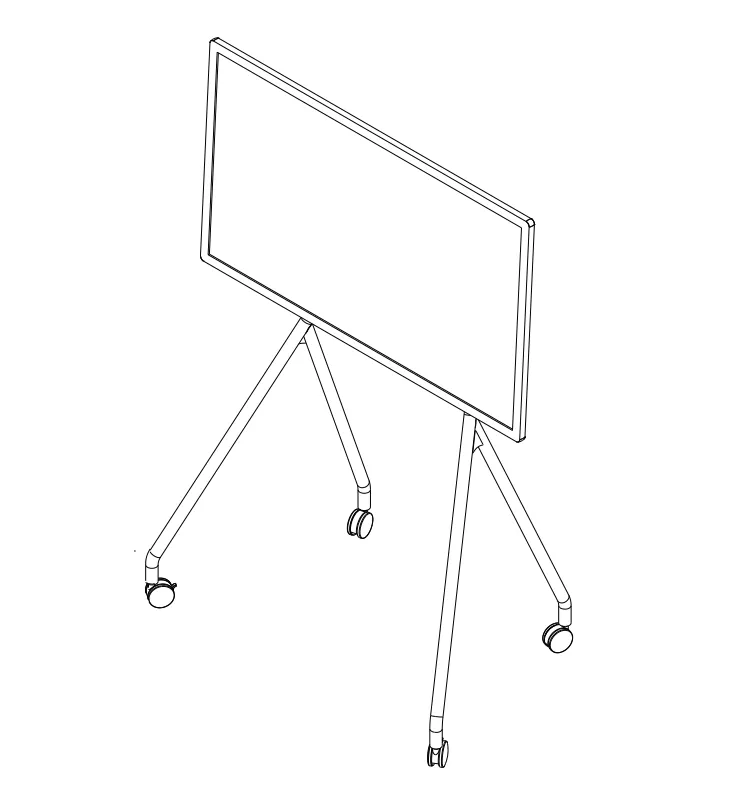
6. Complete installation.
Note: please inspect and tighten all screws regularly if the machine is frequently moved.
How did we do?
How to Install the Stand of NearHub Board S65/ S75/ S86 ?

